Radix Chart
Radix Chart
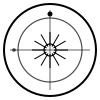
Section titled “Radix Chart”A radix chart (also called a natal or birth chart) is a snapshot of the sky at a specific moment in time. It shows the positions of planets and house cusps for a particular birth location.
AstroChart renders radix charts from an AstroData object containing:
- Planets — Positions as degrees (0–360), keyed by planet name
- House Cusps — Exactly 12 degree values representing houses 1–12
Basic Radix Chart
Section titled “Basic Radix Chart”Here’s the simplest example:
import { Chart } from '@astrodraw/astrochart'
const data = {  planets: {    Sun:  [12.45, 0],    Moon: [145.67, 0]  },  cusps: [315.45, 35.67, 65.23, 92.45, 125.67, 155.89,          135.45, 215.67, 245.23, 272.45, 305.67, 335.89]}
const chart = new Chart('chart', 600, 600)chart.radix(data)
Data Format
Section titled “Data Format”Planets
Section titled “Planets”Planets are stored in a key-value object (Record<string, number[]>):
planets: { Sun: [degrees, velocity] // ^^^^^^^ 0–360 // ^^^^^^^^ optional: astrological velocity — negative = retrograde, positive or omitted = direct}Valid planet names:
- Personal:
Sun,Moon,Mercury,Venus,Mars - Social:
Jupiter,Saturn - Generational:
Uranus,Neptune,Pluto - Points:
Chiron,Lilith,NNode(North Node),SNode(South Node),Fortune
House Cusps
Section titled “House Cusps”Cusps must be an array of exactly 12 degree values:
cusps: [ 315.45, // 1st house cusp (Ascendant) 35.67, // 2nd house cusp 65.23, // 3rd house cusp 92.45, // 4th house cusp (IC) 125.67, // 5th house cusp 155.89, // 6th house cusp 135.45, // 7th house cusp (Descendant) 215.67, // 8th house cusp 245.23, // 9th house cusp 272.45, // 10th house cusp (MC) 305.67, // 11th house cusp 335.89 // 12th house cusp]Passing fewer or more than 12 cusps will throw a validation error.
Full Example with All Planets
Section titled “Full Example with All Planets”Here’s a complete example with all 15 standard planets and points:
import { Chart } from '@astrodraw/astrochart'
const data = {  planets: {    Sun:     [12.45, 0],    // direct    Moon:    [145.67, 0],    Mercury: [8.23, 0],    Venus:   [35.12, 0],    Mars:    [162.34, 0],    Jupiter: [298.56, 0],    Saturn:  [245.78, 0],    Uranus:  [178.90, 0],    Neptune: [210.12, 0],    Pluto:   [238.34, 0],    Chiron:  [125.67, 0],    Lilith:  [145.23, 0],    NNode:   [95.45, 0],    // North Node    SNode:   [275.45, 0],   // South Node    Fortune: [325.67, 0]  },  cusps: [    315.45, 35.67, 65.23, 92.45, 125.67, 155.89,    135.45, 215.67, 245.23, 272.45, 305.67, 335.89  ]}
const chart = new Chart('chart', 600, 600)chart.radix(data)
Retrograde Planets
Section titled “Retrograde Planets”A planet is retrograde when its astrological velocity is negative. Pass the velocity as the second element of the array — the library automatically renders an R symbol next to retrograde planets:
const data = { planets: { Mercury: [8.23, -1.5], // retrograde (negative velocity) Venus: [35.12, 1.2], // direct (positive velocity) Jupiter: [298.56, -0.3], // retrograde (negative velocity) }, cusps: [ /* 12 values */ ]}Adding Aspects
Section titled “Adding Aspects”Call .aspects() on the returned Radix instance to draw aspect lines between planets:
const chart = new Chart('chart', 600, 600)const radix = chart.radix(data)radix.aspects() // draws conjunction, square, trine, opposition linesAspects are calculated automatically using default orbs:
- Conjunction: 10°
- Square: 8°
- Trine: 8°
- Opposition: 10°
You can customize orbs via Settings.
Interactive Demo
Section titled “Interactive Demo”See a complete radix chart in action:
API Reference
Section titled “API Reference”chart.radix(data: AstroData): Radix
Section titled “chart.radix(data: AstroData): Radix”Renders a radix chart and returns a Radix instance for further operations.
Parameters:
data—AstroDataobject withplanets(object) andcusps(array of 12 numbers)
Returns: Radix instance
Methods on Radix:
aspects()— Draw aspect lines between planetstransit(data)— Overlay a transit ringon(eventName, callback)— Add click/hover listeners
Next Steps
Section titled “Next Steps”- Transit Charts — Layer a transit ring over your radix
- Animation — Animate transitions between states
- Custom Settings — Customize colors, fonts, and appearance
- Custom Symbols — Replace symbols with custom SVG
- Types Reference — Full type definitions